Ride Mobs For Eggs How to Redeem Codes
Be ready the moment LocoStudios drops a working promo string—UI steps, checks, and safety.
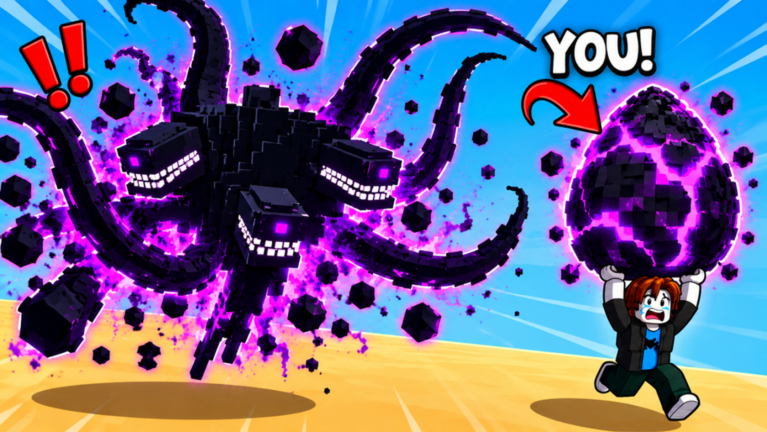
This walkthrough shows how to redeem codes in Ride Mobs For Eggs even though—as of November 2026 research—no publicly confirmed working promo codes have been verified yet. When LocoStudios finally ships a string in the Roblox description, group shout, or update post, you should already know exactly where to click. Pair this page with the live list on the Codes Hub.
Remember the broader game: steal eggs across eight worlds, hatch offline earners, train speed, fuse three identical mobs into GOLDEN, and chase Index rares. Codes are accelerators, not a replacement for Getting Started habits.
Current expectation
| Item | Status |
|---|---|
| Confirmed working codes | None verified (Nov 2026 research) |
| Redeem location | In-experience Codes / Redeem UI (commonly near Settings/gear) |
| Group speed gift | Separate from typed codes — join LocoStudios community (Official Links) |
Step-by-step redeem flow
Exact button art can move after patches (Updates Hub), but the Roblox tycoon pattern is consistent enough to practice:
- Launch Ride Mobs For Eggs on Roblox and wait until your base UI fully loads.
- Look for a gear / Settings / Menu button — often top-side or corner chrome near other shop icons.
- Open Codes / Redeem / Gifts — wording varies; scan tabs if Settings has multiple panels.
- Click the text field so your keyboard (or mobile tap input) focuses.
- Paste the code exactly — capitalization and spacing usually matter; do not add extra spaces.
- Submit / Redeem and wait for a success or error toast.
- Check rewards — cash, speed, eggs, items, or mail-style inventory depending on the gift.
- Write down what worked on your side, then cross-check the Codes Hub list for community confirmation.
If you cannot find a Codes field yet, the game may simply not be running a typed-code campaign. Keep using the group speed gift and normal progression instead of installing random “code unlocker” executors (Scripts Hub).
Mobile vs desktop notes
- Desktop: Ctrl+V / Cmd+V paste is reliable; avoid retyping long strings.
- Mobile: Long-press paste into the field; watch for autocorrect inserting spaces.
- Gamepads / weird setups: Switch to touch or keyboard for the redeem field if focus is awkward.
Troubleshooting matrix
| Symptom | Likely cause | Fix |
|---|---|---|
| Invalid / wrong code | Typo, expired, fake list | Recopy from a trusted source; check Codes Hub |
| Already redeemed | One-redeem-per-account rules | Try an alt only if rules allow; otherwise move on |
| No Codes button | UI moved or feature inactive | Search all menus; recheck after updates |
| Nothing happens on submit | Lag / UI desync | Rejoin server, retry once |
| Website asks for password | Scam | Close it — redeem only in-game |
Where new codes usually appear
Watch these surfaces—not random generators:
- Roblox game description updates from LocoStudios.
- LocoStudios community / group posts and shouts.
- Milestone celebrations (visit goals, like goals, update launches) called out on socials.
- This wiki’s Codes Hub once a string is confirmed in-session.
Launch-era context for why gifts matter: Launch Notes.
Codes vs the free speed gift
Players often confuse typed codes with the advertised FREE speed gift for joining the LocoStudios community. They are different:
- Group gift — membership → claim in-game reward flow → permanent-style speed help for steals (How to Train Speed).
- Typed codes — enter a string in a Codes box when campaigns exist.
Do the group gift today. Practice redeem steps so typed codes take ten seconds later.
Safety rules
- Never enter your Roblox password into a “code site.”
- Never download an executor “just to redeem.”
- Never share cookie/session files with strangers promising Eternal codes.
- Prefer official Roblox surfaces and this wiki’s cautious listings.
If a reward seems too large (free Eternal, infinite cash), assume fraud until proven inside the live experience.
After a successful redeem
Spend gifts intentionally:
- Speed rewards → test a harder world return (How to Steal Eggs, Eight Worlds).
- Cash rewards → trails / pen upgrades.
- Egg rewards → hatch, then plan fuses (How to Fuse Mobs, Fuse Priority).
- Collection items → check Index (Index Completion).
Related pages
Redeem only in-game, verify spelling once, and keep grinding the eight worlds while you wait for the first confirmed promo drop.
Frequently Asked Questions
Quick answers to the most common questions.
Where is the codes box in Ride Mobs For Eggs?
Look in the in-game Settings/gear or related menu tabs for a Codes or Redeem field. Labels can move after updates.
Why are there no codes to redeem right now?
As of November 2026 research, no publicly confirmed working promo codes were verified. This page prepares you for when they appear.
Is the LocoStudios group reward a code?
No. It is a separate free speed gift claimed after joining the community, not a typed promo string.
What if the code says invalid?
Check spelling and spaces, confirm it was not already redeemed, and make sure the list you copied is current—not an expired rumor.
Can I redeem codes on a website?
You should redeem inside the Roblox experience. Sites asking for your password or cookie are unsafe.